
RPM Trucking Industry Safety
25 Bunting Street
Winnipeg, Manitoba
R2X 2P5
Phone: (204) 632-6600
Fax: (204) 694-7134
Email: [email protected]
RPM Inquiry
Registration Troubleshooting
Having trouble accessing a course or registering for an RPM Trucking Industry Safety event or course? Try the tips below!
No SUBMIT button on registration page
- Confirm that you are logged in. You can do this a couple of ways:
- At the top left hand corner of the page, does it read Log In or Log Out? If it says Log In, then you need to log in before you can register for some RPM courses.
- In the bottom right hand corner, does it say “This event is only available to RPM members”? If it does, then please double-check that you are logged in.
- If you are logged in, but there still isn’t a submit button on the registration, please return to the RPM website (www.rpmsafety.ca) and
- Log out using the logout button at the top right of any RPM page.
- When the log-in screen pops up, choose “Don’t Remember Your Password?”, and then reset your password from here.
- When you are logged in with the new password, try to register for the course/event.
- If you have just recently created an account (at the time of registration, for example), please send an email to [email protected], indicating the event you are trying to register for and the name of the company for whom you work. RPM staff will work to adjust your account as quickly as possible to expedite the registration process.
- Please note that RPM staff are only available to troubleshoot website registrations and user roles during regular business hours.
If you are trying to log in to register for an RPM course or event and you receive a message that says “You must be RPM member to register for these courses”, please send us an email at [email protected] so we can confirm your user role settings are correct. Please note that RPM staff are only available to troubleshoot website registrations and user roles during regular business hours.
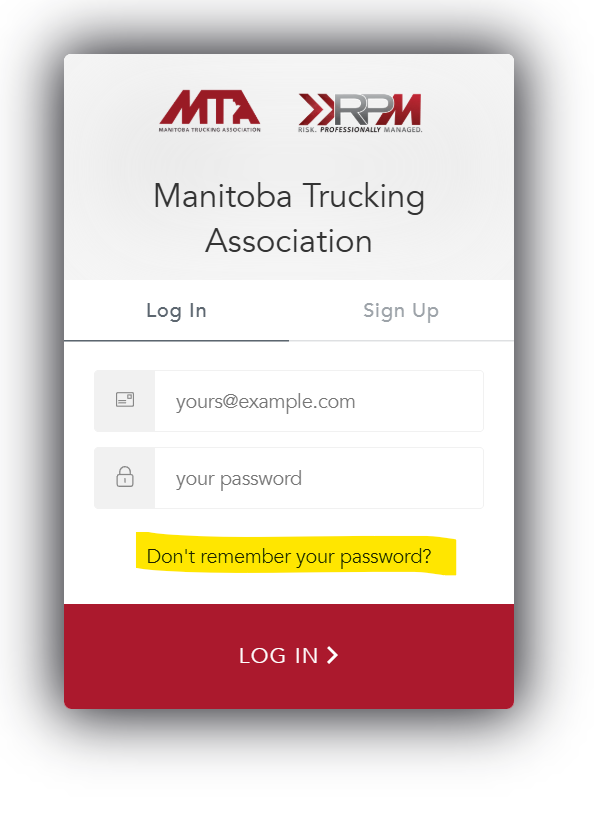
Can’t Access Self-Led eLearning Courses
If you have created an account with RPM but are having trouble accessing your courses, please try the following:
1.Log in using your email address and password.
2. Ensure that you are on the RPM home page. If you see an MTA logo in the top left corner, please click on RPM Safety in the red menu bar.

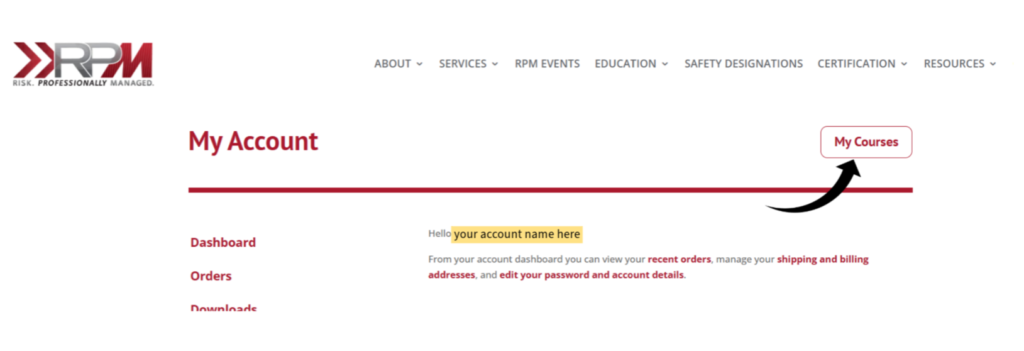
3. Once you are on the RPM page, click on MY ACCOUNT in the right corner of the black menu bar. If you click MY ACCOUNT from the MTA page, you will get an error message that says “You must be MTA member to view these courses”)

4. From that page, you should be able to access your courses (by clicking the MY COURSES button).
If have tried these steps and are still having trouble, please send an email to Susan ([email protected])
Other troubleshooting tips that might be helpful:
- Clear your cache/cookies (this article from Norton Anti-Virus can help: How to Clear Cookies and Cacher in Every Browser)
- Restart your computer
- Try to log in from a new tab
- Try logging in from a different browser (for example, if you normally use Chrome, try logging in from Edge)
- Try logging in from incognito mode (here’s another article from Norton on this topic: What is incognito mode and how do you use it?)
- If you have an IT team, try checking with them to see if there’s something in settings that is preventing you from accessing the course.
Social Media Terms of Use
RPM: Trucking Industry Safety welcomes your comments. Please read the following terms of use before you join RPM Facebook, X, Instagram, Threads, LinkedIn or YouTube pages.
Third-party posts have not been verified and do not represent the views of RPM: Trucking Industry Safety.
Posts that defame, abuse, threaten or otherwise violate the legal rights of others will be removed. Posts that contain obscene, indecent or unlawful material or information will be removed. Posts that do not meet Facebook, X, Instagram, Threads, LinkedIn or YouTube terms and conditions will be removed.
Do not post personal information about yourself or any other individual.
RPM: Trucking Industry Safety reserves the right to remove any content deemed unsuitable and to block any users who violate these terms of use.